
Customer product details
View product specifications, brand information, unit pricing, and add products directly to your customer cart.
Customer product details
The Customer product details screen provides comprehensive product information for buyers. Customers can review high-resolution product photography, inspect base and net selling prices, verify brand and unit classifications, read descriptions, and add the product to their shopping cart.
When you use this
- Inspect product specifications, part numbers, and brand classifications before purchasing.
- Review gross and net selling prices including applicable commercial terms.
- Add a specific product directly to your shopping cart from its dedicated page.
Screen layout
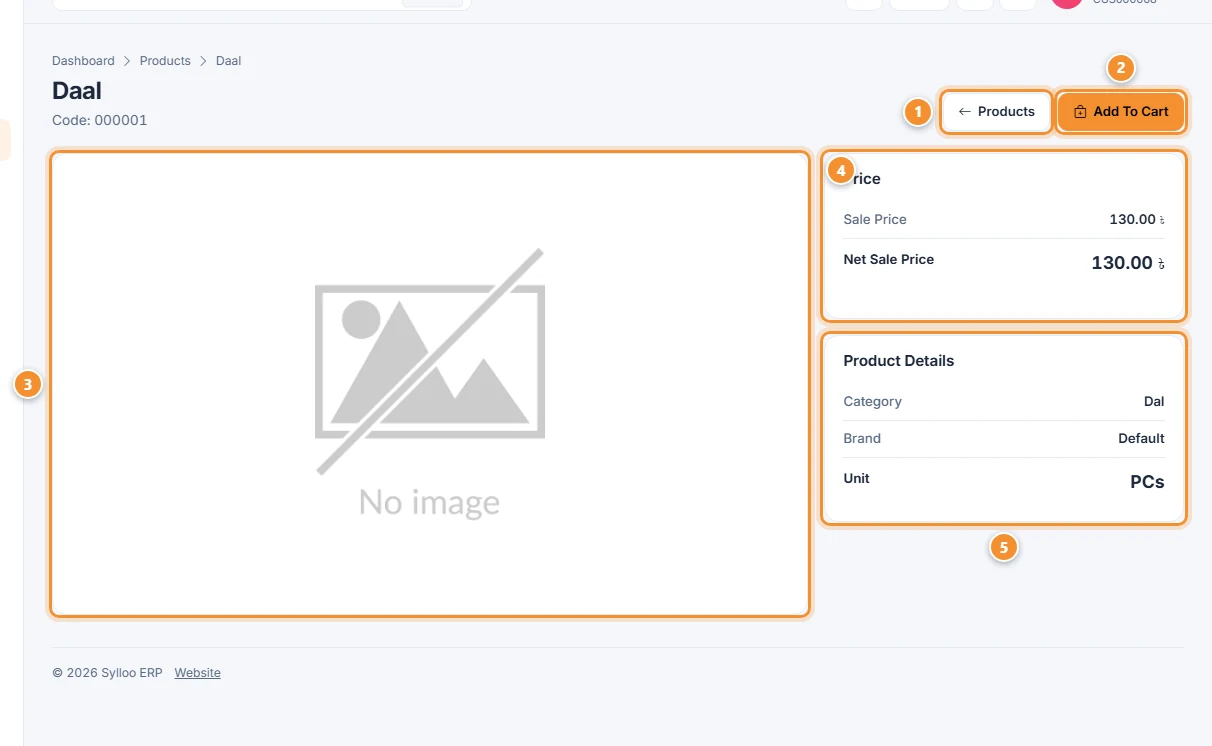 Customer product details with pricing specifications and cart ordering
- Back to products button — returns to the customer products catalog.
- Add to cart button — places the active product directly into the customer shopping cart.
- Product image preview — high-resolution product photography and packaging display.
- Price overview card — shows unit selling price and net pricing.
- Product specifications card — displays product category, brand name, unit, and item description.
Step-by-step: Reviewing specifications and adding to cart
- In Customer products catalog, click the eyeball icon on any product row.
- Review the image in Product image preview (3) and examine the headline product title and code.
- Inspect the unit price and net price inside Price overview card (4).
- Review the category classification, brand manufacturer, and billing unit in Product specifications card (5).
- Click Add to cart button (2). A confirmation toast alerts you that the product was added to your cart.
- Click Back to products button (1) to continue browsing other products, or click the header cart icon to go to Shopping cart.
Every field and control
Header bar
- Back to products button (1): Navigates back to the primary Customer products catalog.
- Add to cart button (2): Action button that increments your cart contents with one unit of the active product.
Product media and details
- Product image preview (3): Primary photo showcasing the product appearance, branding, and packaging.
- Price overview card (4): Card displaying the standard Sale Price and calculated Net Sale Price after applicable customer adjustments.
- Product specifications card (5): Summary section detailing the assigned Category, Brand, stock-keeping Unit, and supplementary product notes.
Common questions
What happens if a product is out of stock?
When a product is marked unavailable or out of stock, clicking Add To Cart notifies you that the product cannot be purchased until inventory is replenished.
Why does the net sale price differ from the standard sale price?
The net price reflects tax adjustments or contractual customer-group discounts applied to your customer account by the merchant.
For affiliates: Your commission
When the signed-in person is an affiliate of the shop, the product page has the card Your commission:
- Rate — their rate on this product, for example
10%or5.00 per item, or No commission. - You earn per item at today's price — the amount for one item, for example
120.00. - Copy link — copies their own link to this product. The button shows Copied for a moment.
See Affiliate overview for the affiliate's own link and money.