
Signing in
Sign in to your Sylloo account using your email or mobile number, with password reveal and session persistence.
Signing in
Use this screen to sign in to your business workspace. Sylloo gives each staff member their own account, so everyone sees only what their job needs.
Workspace means your company's private area in Sylloo. Your manager gives you your sign-in details before your first day.
When you use this
- You start your shift in the morning and need to open the POS register.
- You sit down at an office computer to review today's sales and supplier bills.
- You switch users when taking over a shared store cash counter.
Before you start
- Have your company web address ready (for example
http://demo.sylloo-erp.test/member). - Keep your staff email address or mobile phone number and your password with you.
Open the sign-in page
Open your web browser, type your store's web address, and press Enter.
If the screen shows a clock or welcome screen, press any key on your keyboard, touch the screen, or click your mouse to show the sign-in box.
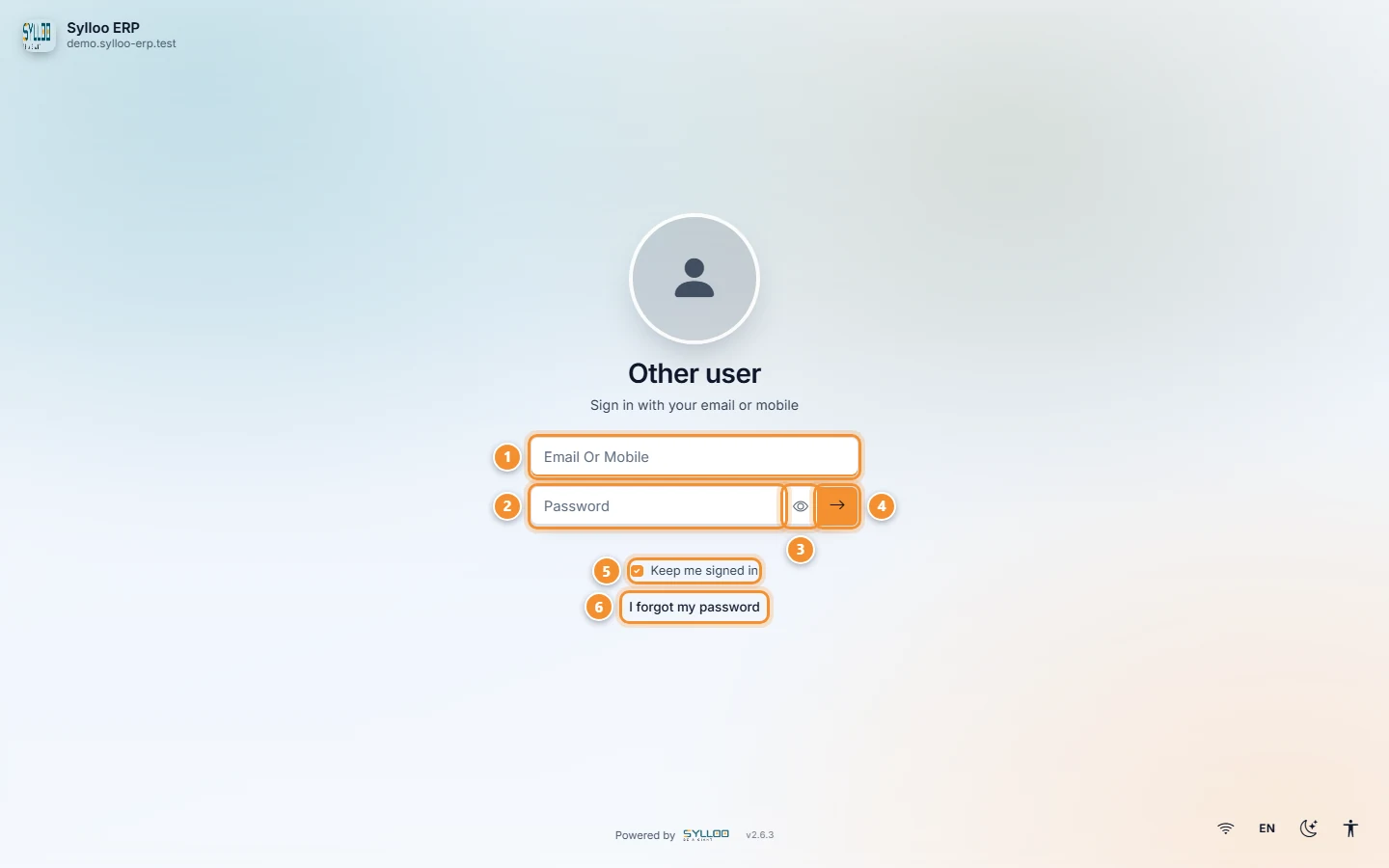 The sign-in page
- Email Or Mobile — type the email address or phone number of your staff account.
- Password — type your password.
- Show password — reveals what you typed so you can check for typos.
- Sign in — opens your desktop.
- Keep me signed in — keeps your session active on this trusted device.
- I forgot my password — request a password reset code to your email or phone.
Fill in your details and enter
- Click the first box and type your Email Or Mobile (for example
[email protected]). - Click the second box and type your Password.
- If you want to check what you typed, click the eye icon (Show password).
- If this is your own private computer, check Keep me signed in. Do not check this on a shared or public computer.
- Click the arrow button (Sign in) or press
Enteron your keyboard. - Your personal Sylloo desktop opens immediately.
Every field on the sign-in page
| Field | What it is for | Example | Required? | Default | What happens when changed | What depends on it |
|---|---|---|---|---|---|---|
| Email Or Mobile | The account email address or mobile phone number of the staff member. | [email protected] |
Yes | Blank | Sylloo checks if the account exists. | Determines which user profile and outlet privileges load. |
| Password | Your secret account password. | •••••••• |
Yes | Blank | Encrypted on submit to verify identity. | Incorrect password shows error notice. |
| Show password | Button with an eye icon to toggle password visibility. | Click eye icon | Optional | Hidden | Toggles password between dots and plain readable text. | Helps verify typos before submitting. |
| Sign in | Button to submit your credentials and log in. | Click arrow | Required | — | Submits login credentials to Sylloo server. | Loads desktop or 2FA challenge. |
| Keep me signed in | Checkbox switch to persist browser session on this device. | Checked | Optional | Unchecked | Keeps authentication cookies active across browser restarts. | Bypasses daily password prompts on trusted computers. |
| I forgot my password | Link to initiate password recovery. | Click link | Optional | — | Navigates to the password reset request screen. | Sends password reset email or SMS code. |
Example
Anika is a new sales assistant at Rahim Fabrics:
- She opens
http://demo.sylloo-erp.test/memberon the store computer. - She types her work email
[email protected]in Email Or Mobile. - She types her password, clicks the eye icon to verify it, and clicks Sign in.
- Her screen opens directly to the POS sales register ready for her first customer.
Common questions
What if I type the wrong password? Sylloo shows a red message below the password box. Check for typos or verify whether your Caps Lock key is on. If you try too many times, the screen locks for a short period to protect your account.
What does "Keep me signed in" do? It remembers your login on this specific browser for several days. Never tick this box on shared computers or internet cafes.
I forgot my password. Click I forgot my password below the form. Sylloo will ask for your email address or phone number and send you a secure verification link to choose a new password.